

Indiana University Athletics
All-In-One
WELCOME TO THE INDIANA ATHLETICS ALL-IN-1 PASS PAGE
All Indiana Hoosier season tickets will be now delivered to you as an ALL-IN-1 pass. This new feature will allow you a more simplified way to use your season tickets, season parking, and flex plans instead of cluttering your phone's wallet with multiple tickets for multiple events. You can now add your entire season ticket to your phone's wallet by only needing to download one ticket for each seat on your account. Following an event in your ALL-IN-1 pass, your ticket will automatically update to the next event in your ALL-IN-1 pass.
On this page, there are FAQs (Frequently Asked Questions) and instructions on adding your ALL-IN-1 Pass to your wallet.
WHAT IS THE ALL-IN-1 PASS?
The ALL-IN-1 Pass is a smart ticket that will simplify your digital wallet. Add the ALL-IN-1 pass ONCE per seat and it will automatically update to the next event.
QUICK & EASY
Add each ALL-IN-1 pass to your digital wallet just once.
DECLUTTER YOUR WALLET
ALL-IN-1 automatically updates to the next event in your plan, series, or season.
ALL-IN-1 IS SMART
ALL-IN-1 pass will update if tickets are transferred or become unavailable.
TRANSFER & MANAGE TICKET
You can still transfer and manage eligible tickets from "My Account."
INSTRUCTIONS
You can get started by following the steps below!
STEP 1
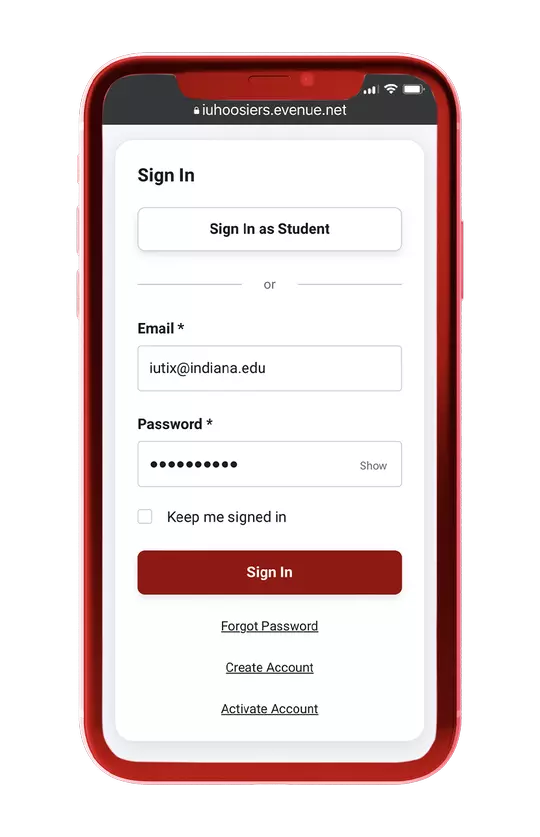
Log in to your Indiana Athletics ticket account
STEP 2
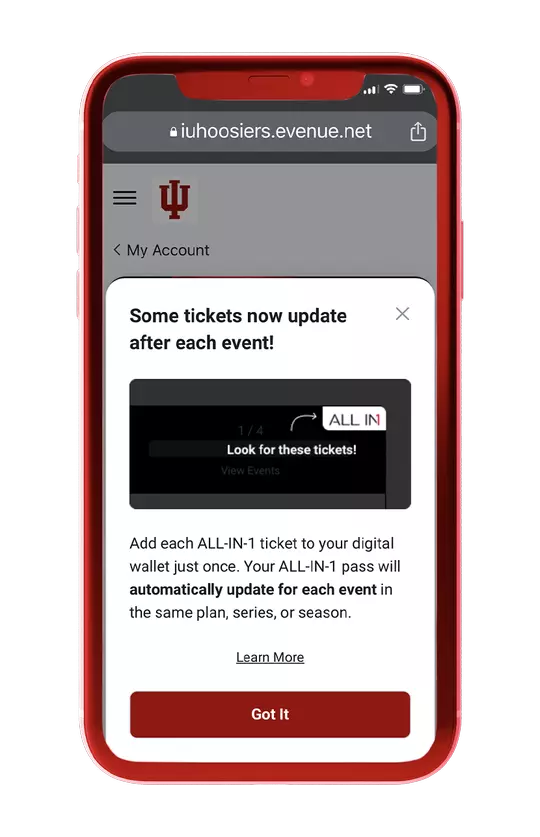
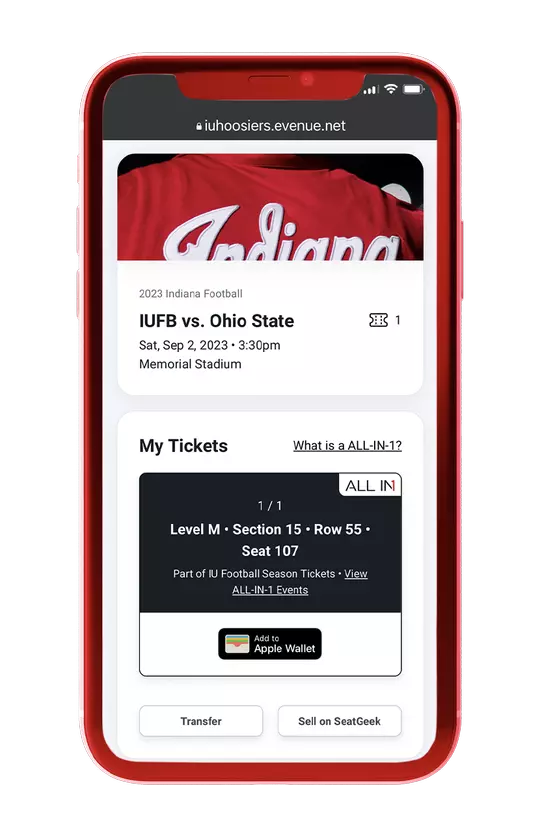
Look for the tickets with ALL-IN-1 mark.
Then select the “add to wallet" button
STEP 3
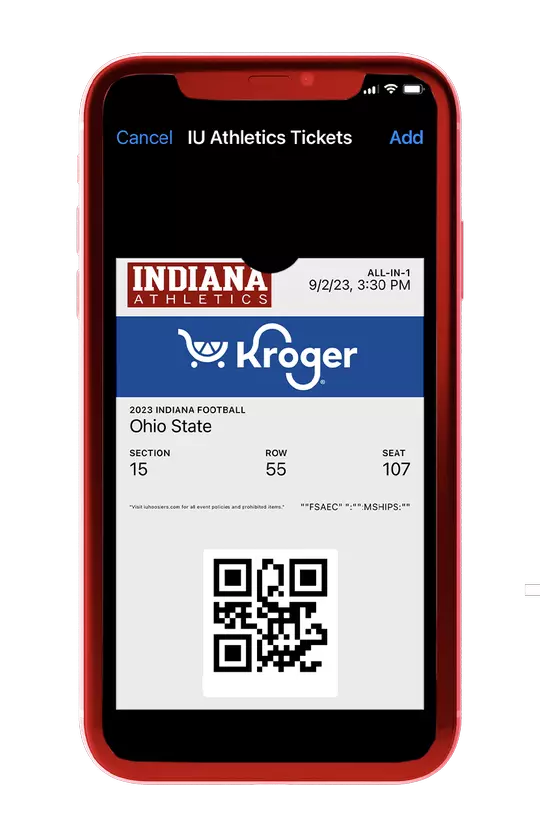
Click the “add” button in the top right corner and you're done! Your ALL-IN-1 pass will rotate and automatically update before the next event.
Have more questions? Contact the Indiana Athletic ticket office at 812-855-4006 or check out the FAQ section below.
FREQUENTLY ASKED QUESTIONS
ALL-IN-1 is a smart ticket that will simplify your digital wallet. Add each ALL-IN-1 ticket once per seat and it will automatically update to the next event. The ALL-IN-1 pass consolidates your entire sports season, series of performances, or set of shows into a single pass.
Currently eligible for plan, series, and season tickets.
When you retrieve/access your ticket in My Account, the ALL-IN-1 logo displays on the top right corner of ticket.
Login to My Account on your mobile device. Click Add to Wallet, and you’re done!
Add each seat just once. In your digital wallet, the ALL-IN-1 pass knows to rotate to the next event automatically.
ALL-IN-1 automatically updates after an event has ended to display the next event. The update may not be immediate.
Check your ALL-IN-1 pass in your digital wallet to verify. After the previous event has passed, it shows the next event’s date! The update may not be immediate.
ALL-IN-1 will automatically update before each preceding event. Make sure you have enabled Automatic Updates on your Wallet app for the pass. If you do not see the update, please contact the Ticket Office. If you are attending a double-header event, see the question below.
For double header events, please login to My Account and download a single pass for the second event. The second event of the day will not show in your ALL-IN-1 pass.
The ALL-IN-1 pass in your digital wallet will display “VOIDED” or collapse, depending on your mobile device. In My Account, the ticket will no longer display under My Upcoming Events. In addition, if you click on “View ALL-IN-1 events” under the Event Details Page, the event will be greyed out.
No, but the events included in your ALL-IN-1 pass can be managed individually. The recipient of a transferred, sold, or exchanged individual ticket will receive a single pass, not a ALL-IN-1 pass.
No, ALL-IN-1 tickets are pre-determined by the Ticket Office.
Yes, go to My Account and access your pass anytime.